
Frequently Asked Questions
macOS is not letting me use the app because of Accessibility Permission 🙀
MacsyZones needs accessibility settings for its functionalities, go to System Preferences, Security & Privacy, and click on Accessibility and check the checkbox next to MacsyZones.
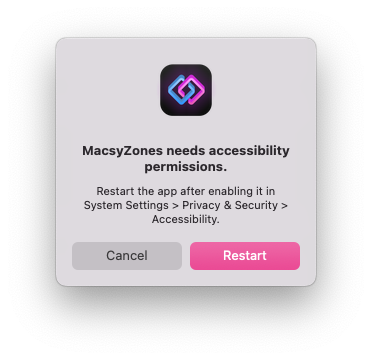
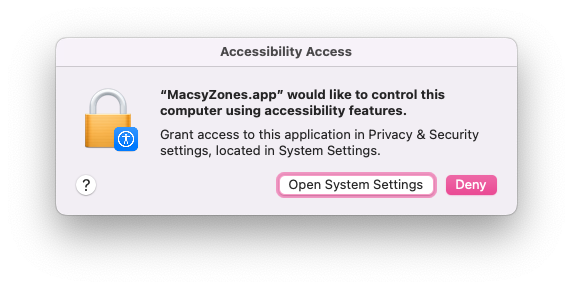
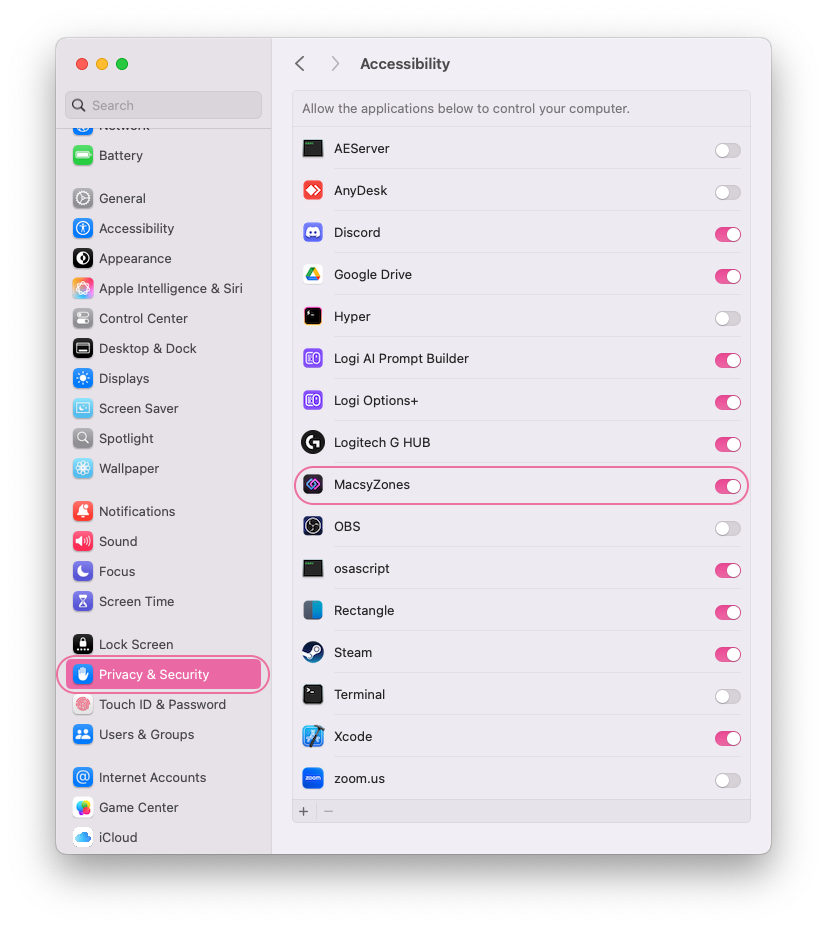
After enabling it, restart MacsyZones and you'll be able to use it without any issues.
If it keeps asking for permission, close MacsyZones, open Terminal app and enter this command:
sudo tccutil reset All MeowingCat.MacsyZonesIs the app stable enough? 🤔
Looks like yes; the app is stable enough. I'm always testing the app on different devices and macOS versions.
However, MacsyZones is just released. If you encounter any issues, please let me know.
It's purrfect but, will you make more amazing features? 😍
Yes! I'm always working on new features and improvements. If you have any suggestions, feel free to contact me.
Known Issues & Troubleshooting 🛠️
Upgrading from MacsyZones 1.3.2 or older
If it keeps asking for Accessibility permission, close MacsyZones, open Terminal app and enter this command:
sudo tccutil reset All MeowingCat.MacsyZonesNotch and macOS menu bar height difference for external monitors
macOS menu bar height is higher on the MacBook screens with a notch than its size on external monitors. This won't cause any problem, but if you want pixel-perfectness, you can create different versions of same layout for MacBook screen and external screens.
Do not place zones in another screen in Layout Editor
In Layout Editor (while editing a layout) don't place a zone to another screen, this is an undefined behavior for MacsyZones' Layout Editor. (It will be avoided in next versions.) You can create different layouts with different zone designs and use them with differently on all of your screens and workspaces (virtual desktop).
MacsyZones will remember and switch your layout preferences when you switch a screen and workspace. 😇I love the app! How can I support you? ❤️
Thank you! You can support me by buying the app and also sharing it with your friends or commmunities.
You can also donate me any amount on my Patreon.
Support on Patreon
patreon.com/evrenselkisilik
Bitcoin
1A3NkkFEMFc2wq74GGRXdzrsEn42Ts1ajm
ETH, USDT/USDC (ERC20)
0xDDD5e5029F4d1CA54461abCF558Cb6dcAD6Df3CB
Monero
8A8HWvGp8d3Qf8Qn1ei97RXPJiQYodvBxLSaPbnLEKAZ2pjnAbmNLn59HNPKirrAmKTfNEfjbobdi33zV1CwDQ7qRLxiZvR